- Role
- Solo — brand identity, UX, UI, prototype
- Timeline
- ~4 weeks, self-initiated
- Type
- Concept project (fictional restaurant)
- Platform
- Mobile (iOS & Android)
- Status
- Designed & prototyped · not shipped
Context
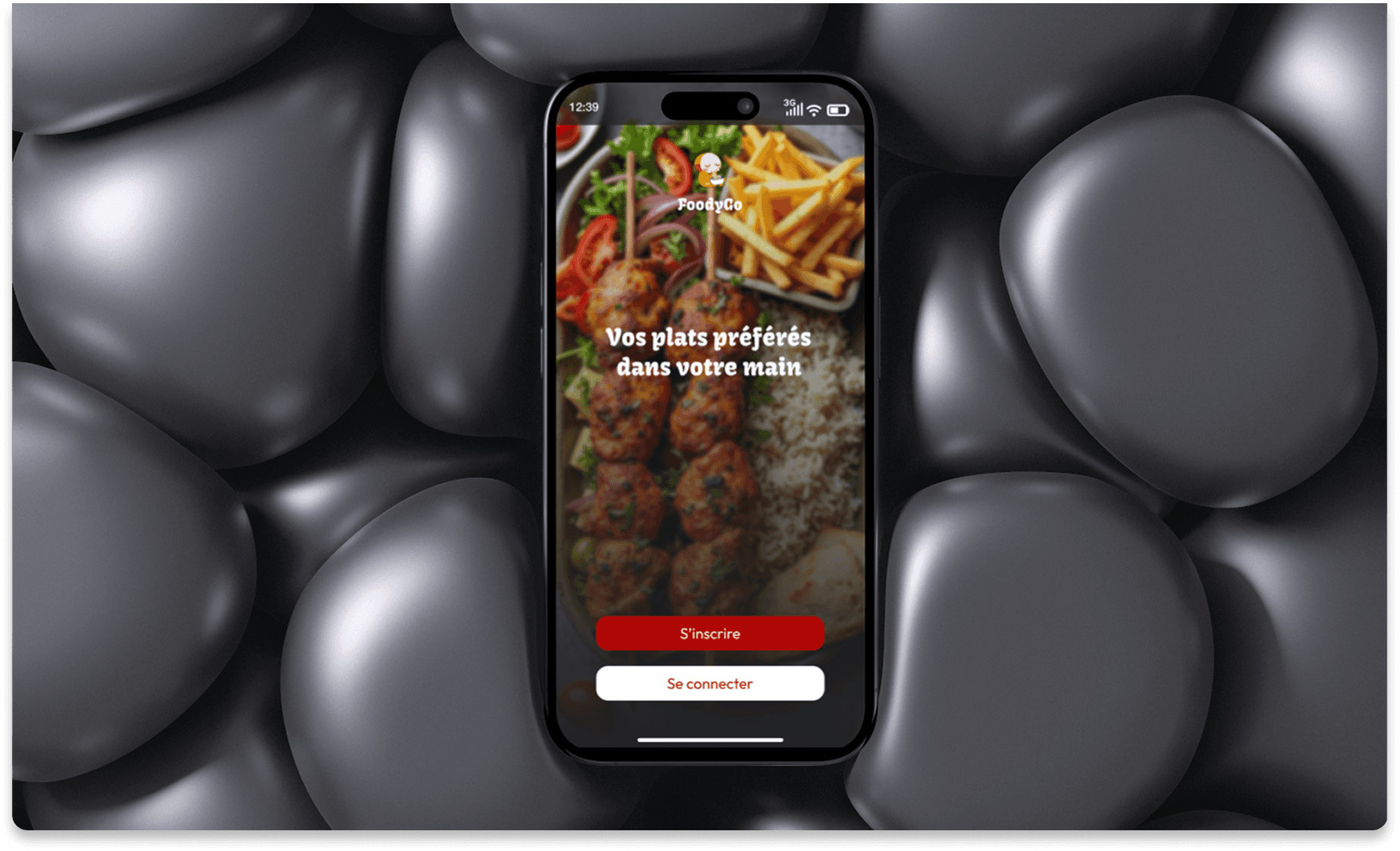
FoodyGo is a self-initiated concept: an ordering app for a fictional local restaurant going digital. I ran it as a brand-to-product exercise — logo, palette and typography first, then the product — so every screen decision traces back to a defined identity. The goal: make ordering feel effortless, fast and a little joyful.
Constraints & scope
- Solo, ~4 weeks — brand identity plus a shippable MVP scope.
- In scope: browse menu, dish detail + customisation, cart, one-page checkout, order tracking, profile & reorder.
- Out of scope: multi-restaurant marketplace, courier app, loyalty program, in-app chat.
- Single restaurant, single city — no location picker or delivery-zone logic.
- Competitor analysis of 3 delivery apps stands in for primary research on this pass.
Research
I analysed 3 delivery apps (Uber Eats, Deliveroo, a local competitor) and pulled out the friction users complain about most:
Checkout flows run too long — users abandon at the payment step.
Poor menu organisation — no clear categories, no photo for every item.
Order tracking is stressful — vague ETAs, no visual progress.
No easy reordering — users search from scratch every time.
Visual identity
Before any screens, I fixed the brand so every later decision had a reference:
Colour palette
Tone
Warm, energetic, appetising — colours that make food look good.
Typography
Bold headlines for dishes, clean body text for descriptions and prices.
Design decisions & rationale
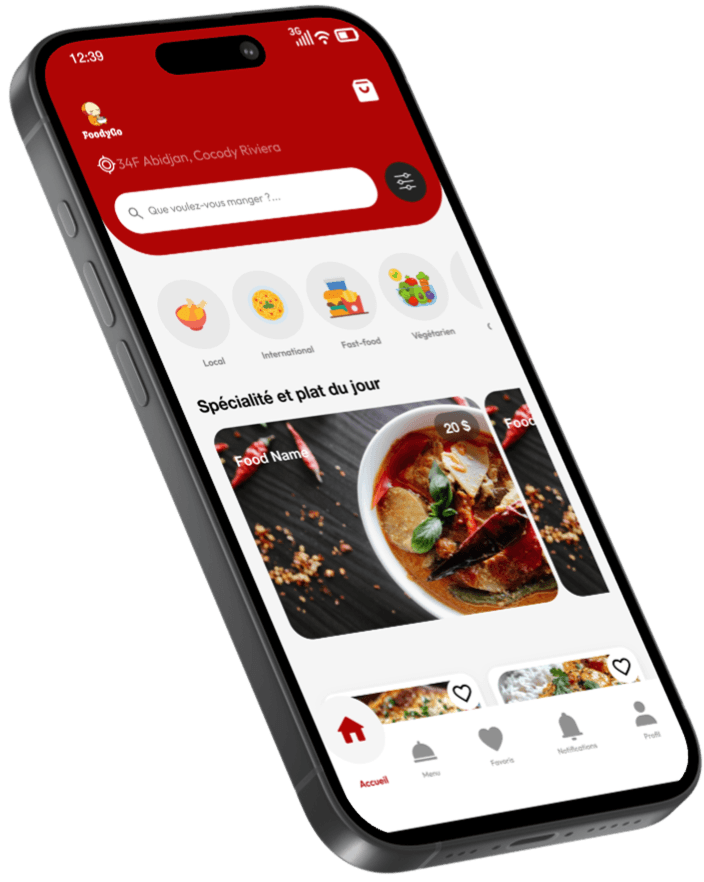
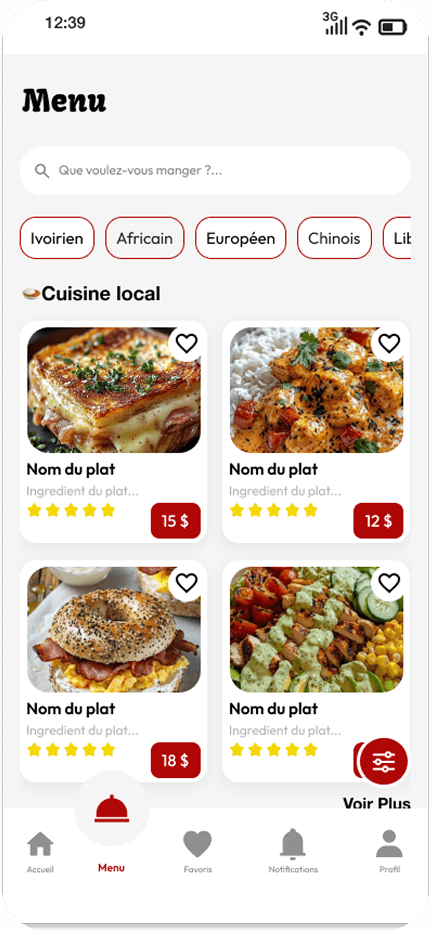
Category-based menu navigation
Starters, Mains, Desserts, Drinks — segmented with sticky tabs. No scrolling through 50 items to find one.
Visual-first dish cards
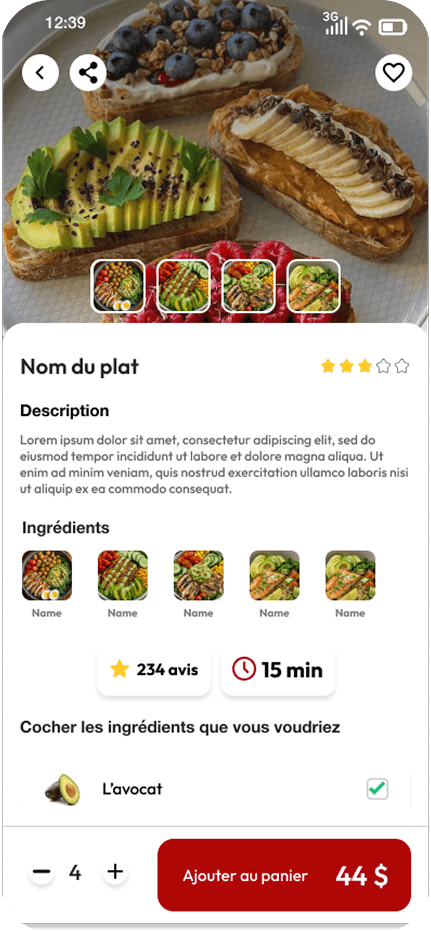
Every dish has a hero photo, a short description and the price at a glance. Good food photography is the best conversion tool.
Inline customisation
Cooking preferences, extras and modifications are handled before adding to cart — not as a confusing step at checkout.
One-page checkout
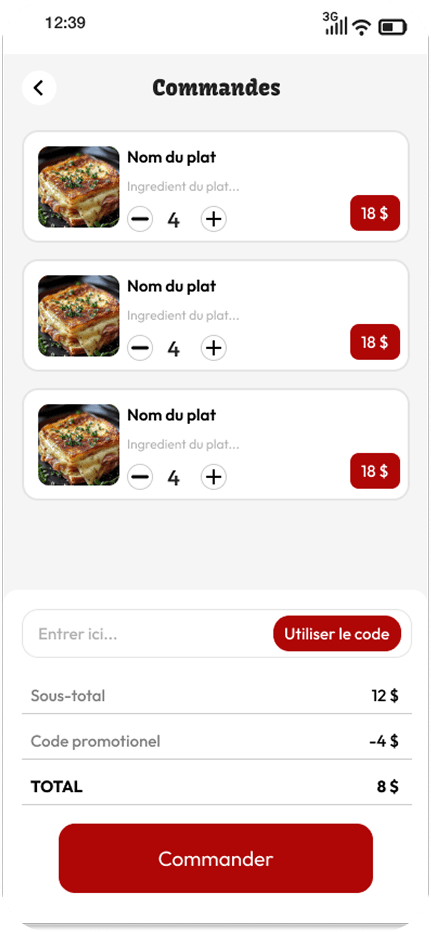
Cart summary + delivery address + payment on a single screen. Fewer steps, lower abandonment.
Live order tracking
A visual tracker (Confirmed → Preparing → On the way → Delivered) with a real-time ETA. Less anxiety, fewer support messages.
Smart reordering
"Order again" on past orders, saved favourites, and frequent items surfaced on the home screen.
Screens
Outcomes
Success criteria I designed against
- From "I'm hungry" to "order confirmed" in under 90 seconds for a repeat order.
- Checkout completed on a single screen — no multi-step wizard.
- Every dish card shows photo, description and price without a tap.
- Reordering a past order takes 2 taps from the home screen.
How I pressure-tested the design
- Timed prototype run of first-order and reorder tasks against the 90-second target.
- Step-count comparison of the one-page checkout vs the 3 apps analysed.
- Heuristic review of the tracking screen for clarity of status and ETA.
Next step — Unmoderated first-click and timed-task testing with 6–8 people who order delivery weekly, focused on checkout completion and reorder discovery.
Reflections & what I'd do next
FoodyGo gave me practice in e-commerce UX — the psychology of conversion at each step of a funnel — and in running brand and product together so they reinforce each other. I learned that in food apps, content quality (photography) carries as much weight as structure, and that collapsing checkout to one screen is often the single highest-impact move. Next: the timed testing above, plus the empty, error and out-of-stock states.
“In food ordering, every extra step is a potential exit — the whole design fought to remove them.”